
Browse People Permission for Confluence
CBPP_v5.0.5 CBPP_v5.0.4 CBPP_v5.0.3 CBPP_v5.0.2 CBPP_v5.0.0 CBPP_v4.4.0 CBPP_v4.3.2 CBPP_v4.3.1 CBPP_v4.3.0 CBPP_v4.2.1 CBPP_v4.2.0 CBPP_v4.1.1 CBPP_v4.1.0 CBPP_v4.0.3 CBPP_v4.0.2 CBPP_v4.0.1 CBPP_v4 CBPP_v3 CBPP_v2

People Directory (User)

What you will learn here

On this page you will learn what will be changed in “People Directory“ from a normal user perspective


Overview

We limit the number of people who can access the “People Directory” to ensure information security.

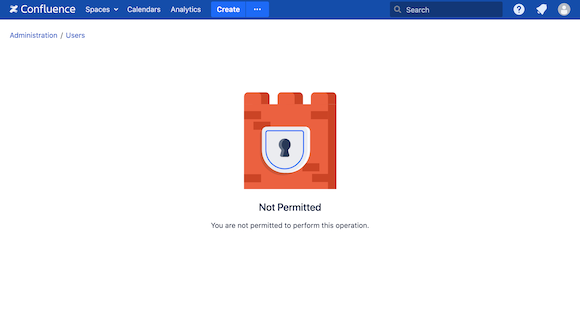
If you don’t have permission to view the “People Directory”, the “People” button will not show in the top menu bar. And when you try to access the link “…/browsepeople.action” you will see this page:
CBPP_highlight3_cropped_21_05_2021.png