On this page:
Administrator Guide
For all the following procedures,
-
Confluence Browse People Permission App must be installed on your Confluence server, data center (see our Installation Guide for detailed instructions).
-
You must be logged in as a user with the Confluence Administrators global permission.
Grant group to view “People”
-
Click the button “Browse People Permission“ in the top menu of Confluence
-
In the “People Directory Browse White List” page:
Select the group you want to grant the permission to view the “People” button and “People Directory” page
Remove group to cannot view “People”
-
Click the button “Browse People Permission“ in the top menu of Confluence
-
In the “People Directory Browse White List” page:
Hover to the group you want to remove out of the white list, click to the “cross” icon
When Confluence is in read-only mode, CBPP is also in read-only mode. This means that the app is not configurable until Confluence is taken out of read-only mode.
The Confluence Administrators always have the permission to view the “People Directory” page. You don’t need to add that group to White List
User Guide
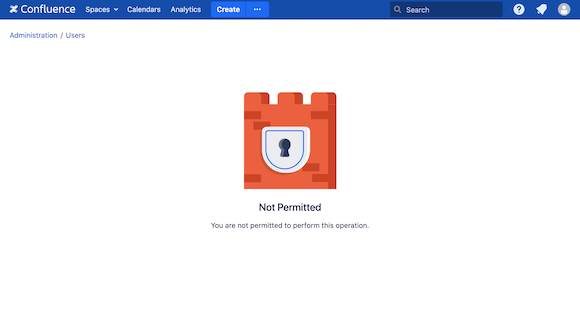
If you are a person who doesn’t have permission to view the “People Directory”, you could not see the button “People” in the top menu. And when you try to access the link “…/browsepeople.action” you will see this page: