
On this page:
Space Administrator Guide
For all the following procedures,
-
Confluence Browse People Permission App must be installed on your Confluence server, data center (see our Installation Guide for detailed instructions).
-
You must be logged in as a user with the Confluence Space Administrators.
Grant or prevent groups or users to have mentioning permission
-
Click the button “Permissions“ tab in the top menu of Space Tools
-
In the “Permissions” tab, click on “Mentioning Permissions”
We will have two tables for Groups and Individual Users that have at least View Space permission on this space
Select or remove the group or individual user you want to grant mentioning permission by changing the toggle button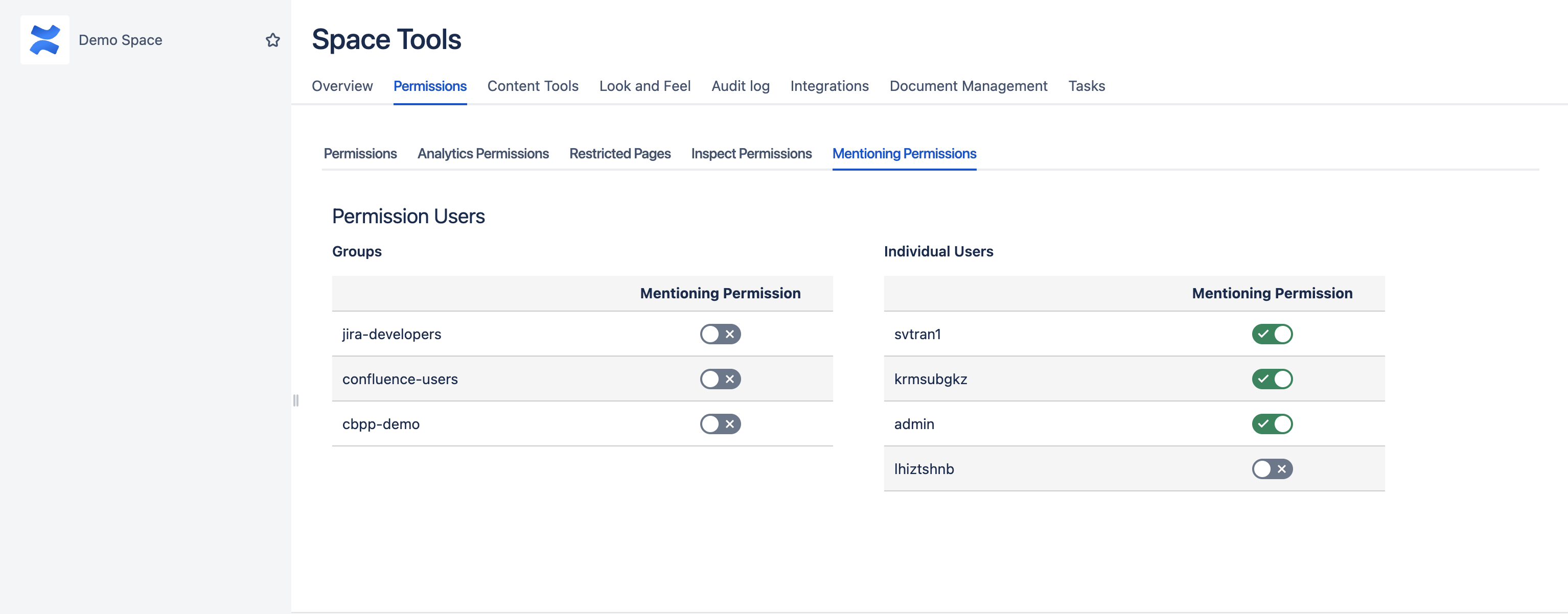
When Confluence is in read-only mode, CBPP is also in read-only mode. This means that the app is not configurable until Confluence is taken out of read-only mode.