
What you will learn here
On this page you will learn how to use feature “Audit Log”
Overview
The audit log allows administrators to look back at changes that have been made to your instance. This is useful when you need to troubleshoot a problem or if you need to keep a record of important events, such as changes to the user cleanup process or rule modification.
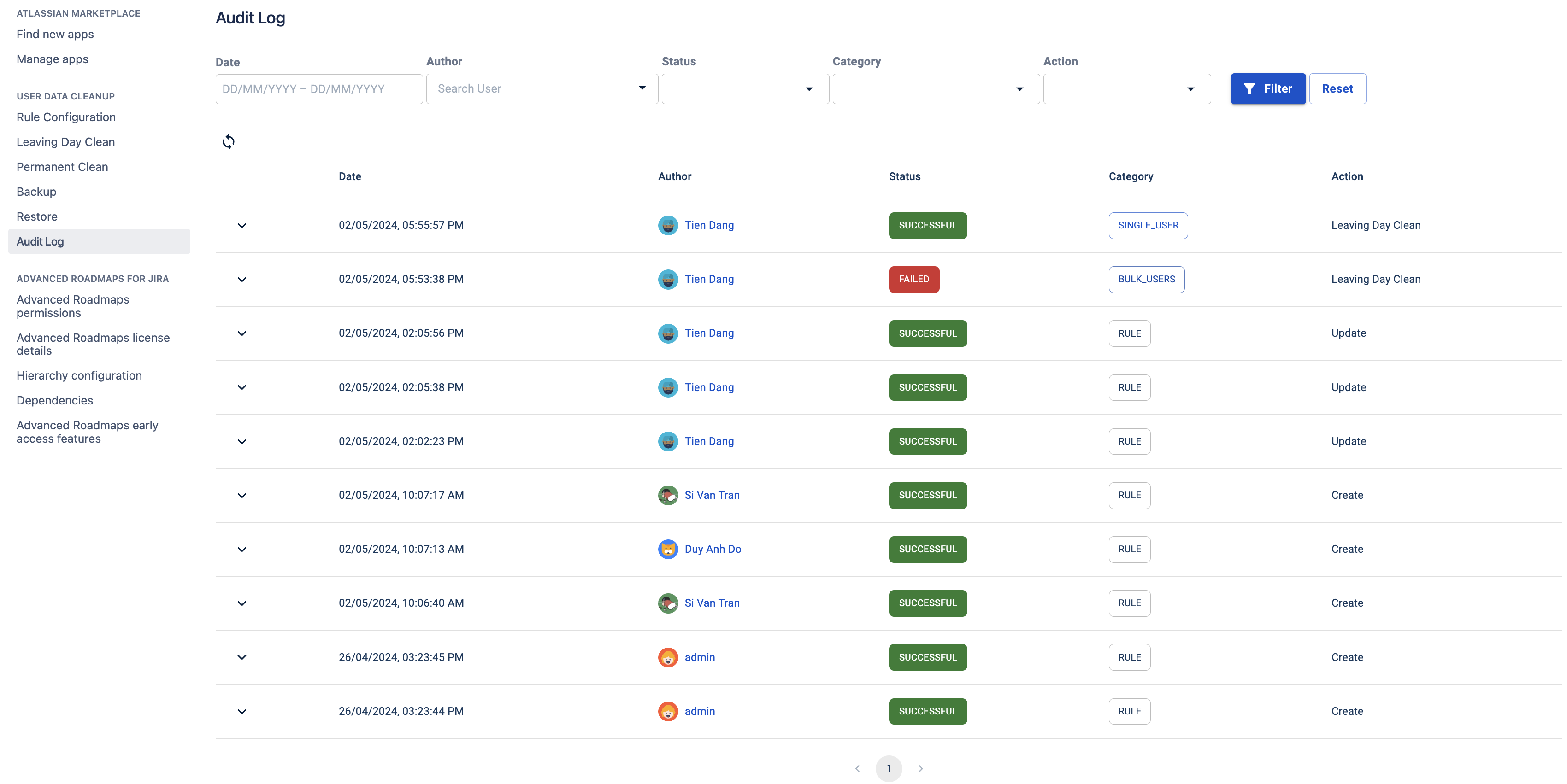
View the UDC’s audit log
To view the UDC’s audit log:
-
Select

-
Under the section USER DATA CLEANUP, select Audit Log
Filter audit log entries
Audit logs can include many historical entries but you can use the filters to narrow them down. You can filter either by date range, status (the result of executing an action), author (who executes the action) or category.
-
Date Range
-
Author
-
Status (SUCCESS or FAILURE)
-
Category (RULE, SINGLE_USER, BULK_USERS, BACKUP_AND_RESTORE)
-
Action (CREATE, UPDATE, DELETE, LEAVING_DAY_CLEAN, PERMANENT_CLEAN, BACKUP, RESTORE)