UDC allows you to track users who never logged in or haven't logged in for a specified number of days and you can use Jira Automation Rules to automate their deactivation. In this guide, you'll learn how to set up and utilize this functionality effectively.
-
Go to Automation Rules, click Create rule
-
Add a Scheduled trigger, (Example: with fixed rate of every: 1 days)
-
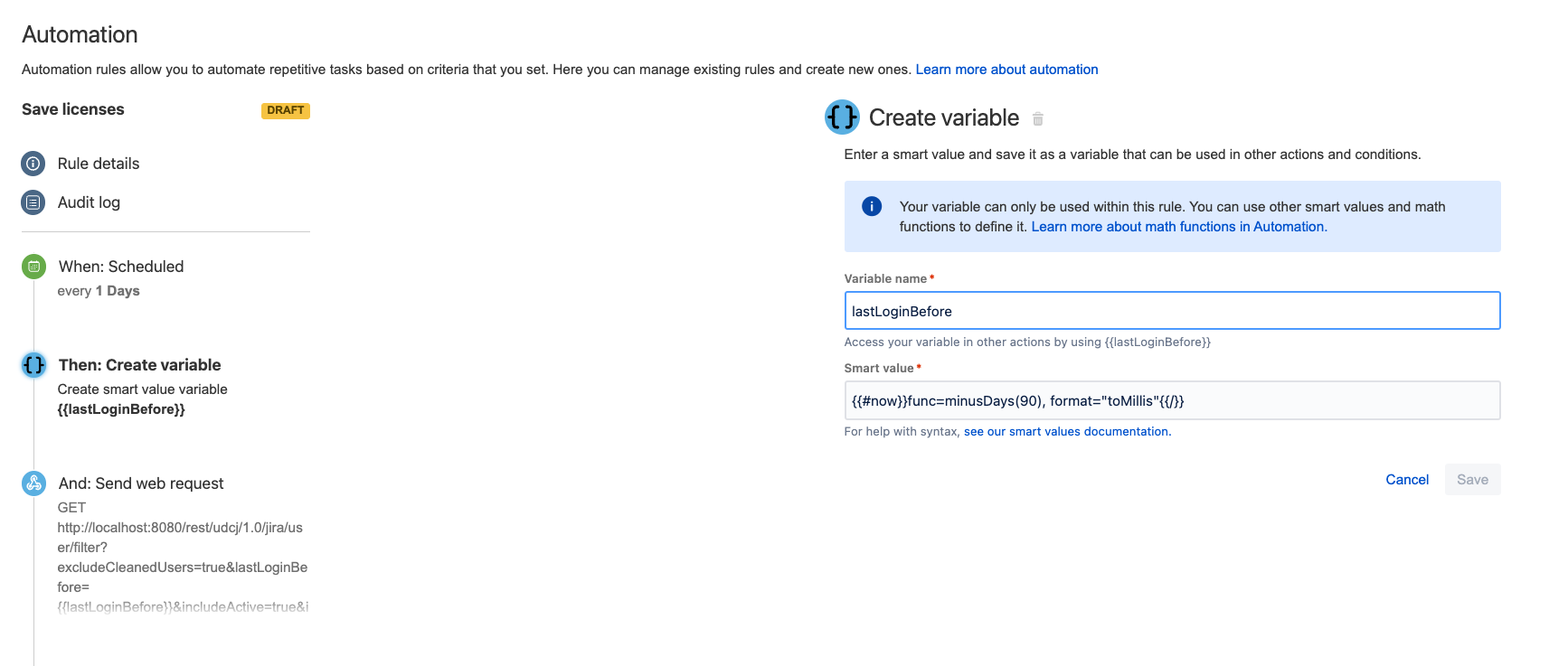
Create action Create Variable: Create a variable named
lastLoginBeforewith value of:
Users never logged in
-1 if you want to clean up users who never logged in
Users who haven’t logged in for days
{{#now}}func=minusDays(<number_of_days>), format="toMillis"{{/}} if you want to clean up users who haven’t logged in for <number_of_days> days
-
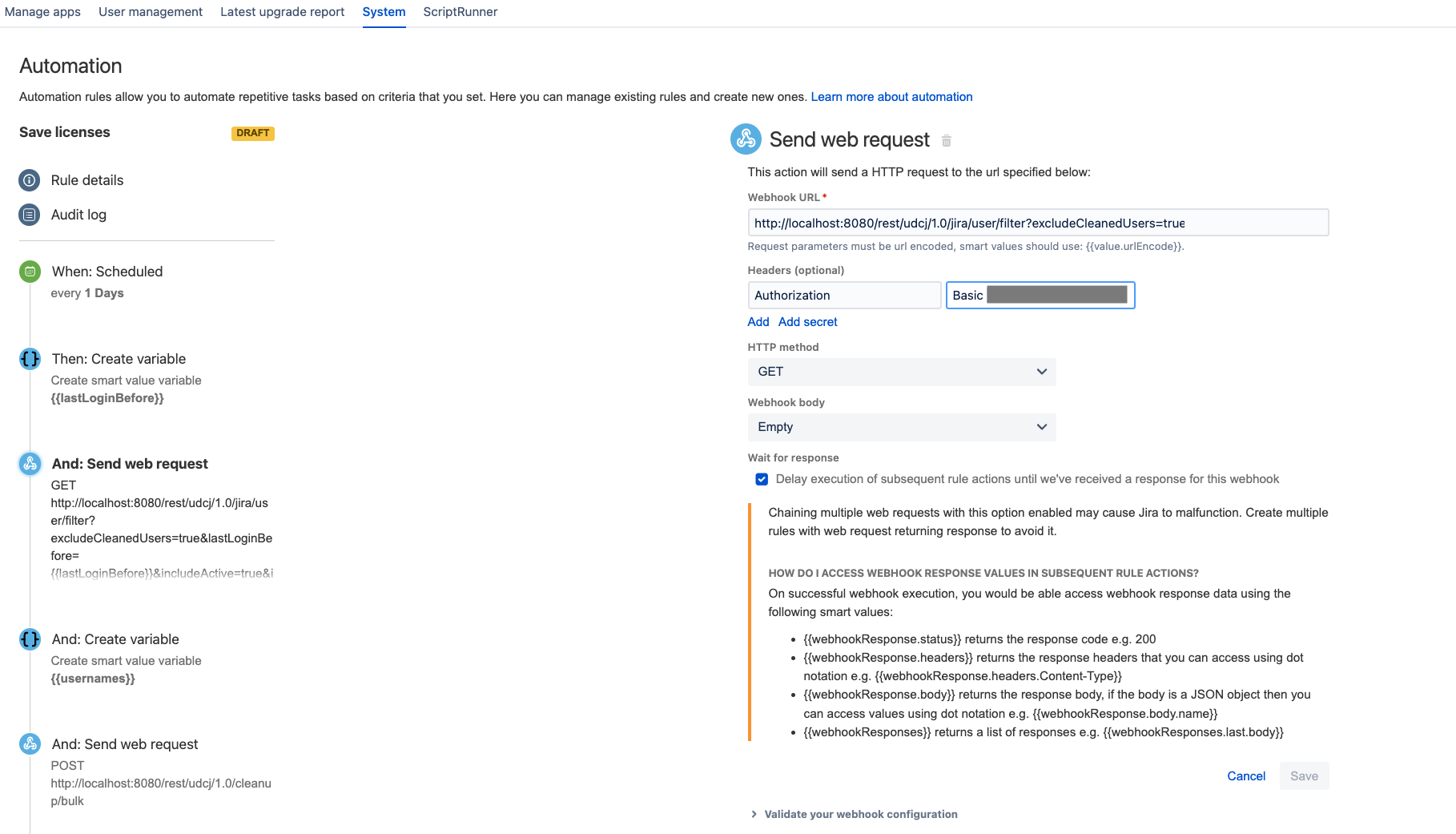
Create action Send Web Request: Send a REST API to get the list of users who you want to deactivate
-
Url:
GET <your_base_url>/rest/udcj/1.0/jira/user/filter?excludeCleanedUsers=true&lastLoginBefore={{lastLoginBefore}}&includeActive=true&includeInactive=true -
Headers:
-
Authorization:
Basic <your_token>
-
-
Check Delay execution of subsequent rule actions until we've received a response for this webhook
-
-
Create action Create Variable: Create a variable named
usernamesto save the response and map them into a list of user keys -
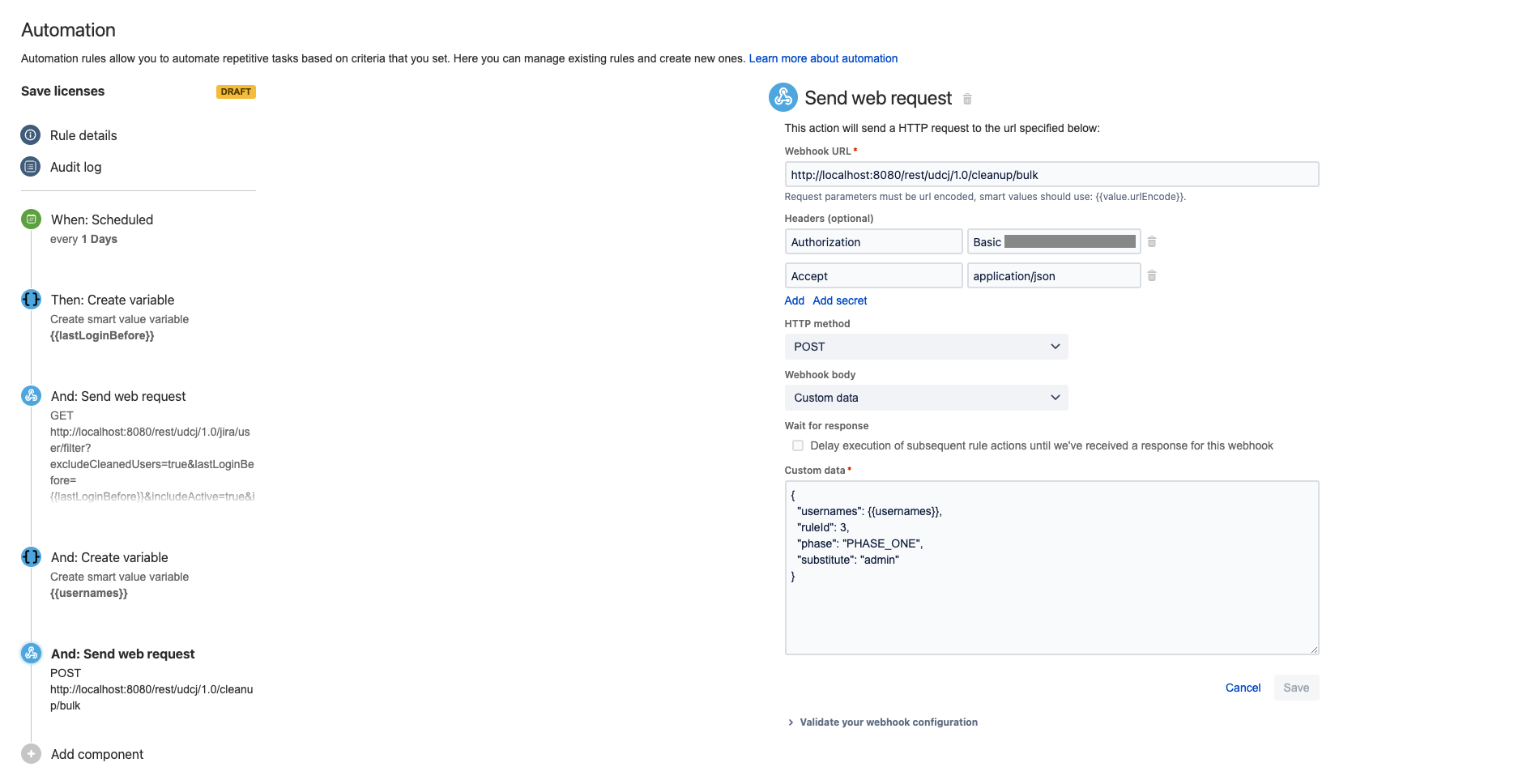
Create action Send Web Request: Send a REST API to trigger bulk clean up
-
Url:
POST <your_base_url>/rest/udcj/1.0/cleanup/bulk -
Headers:
-
Authorization:
Basic <your_token> -
Accept:
application/json -
Webhook body: Custom data
-
-
{
  "usernames": {{usernames}},
  "ruleId": <your_rule_id_to_deactivate_users>,
  "phase": <clean_phase>,
  "substitute": <substituter_username>
}
Example:
{
  "usernames": {{usernames}},
  "ruleId": 3,
  "phase": "PHASE_ONE",
  "substitute": "admin"
}