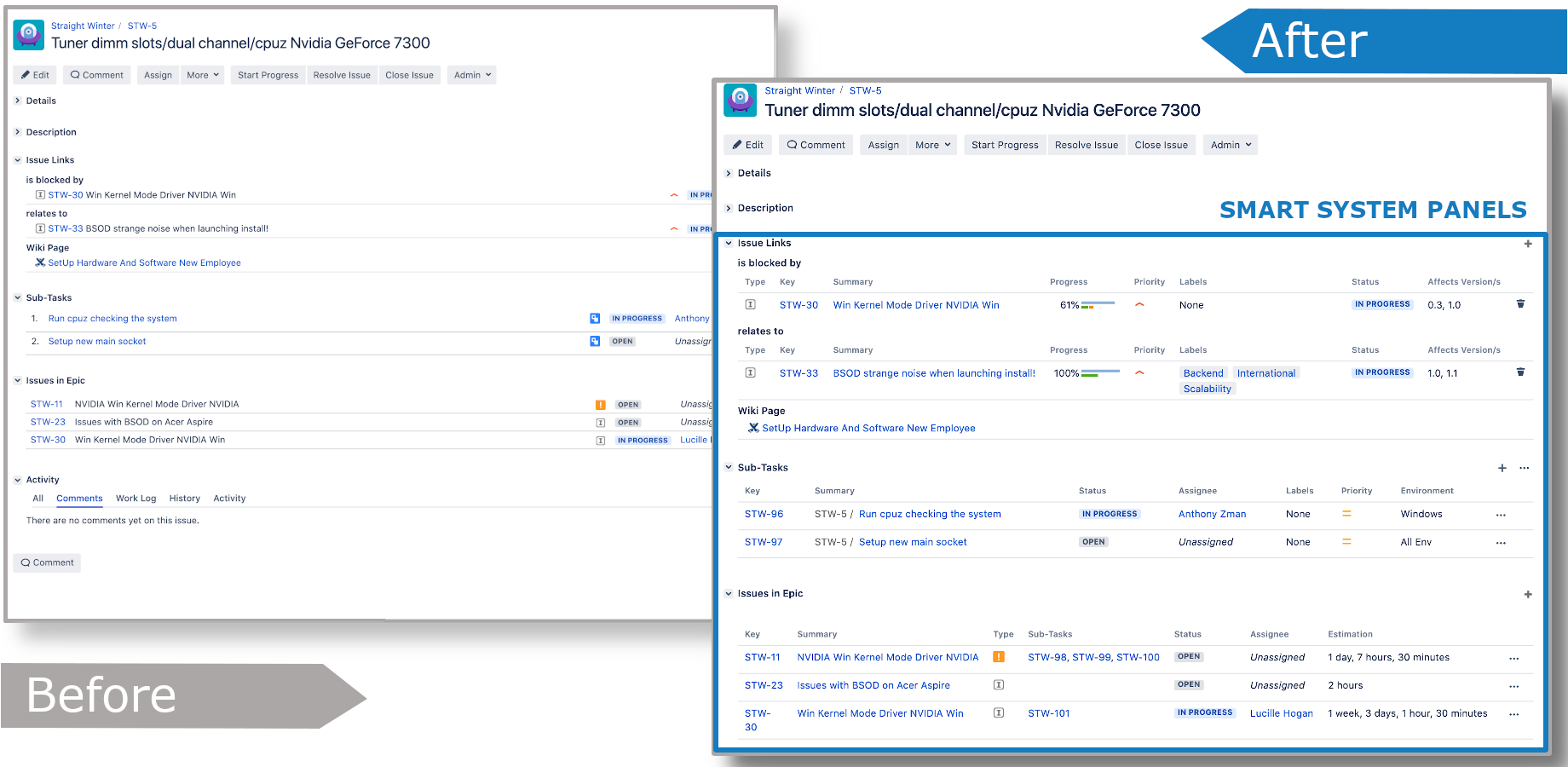
With Smart Panel for Jira app, the user has near endless possibilities to adapt the issue panels in your projects to your specific needs.
On this page
Smart Wiki Panel
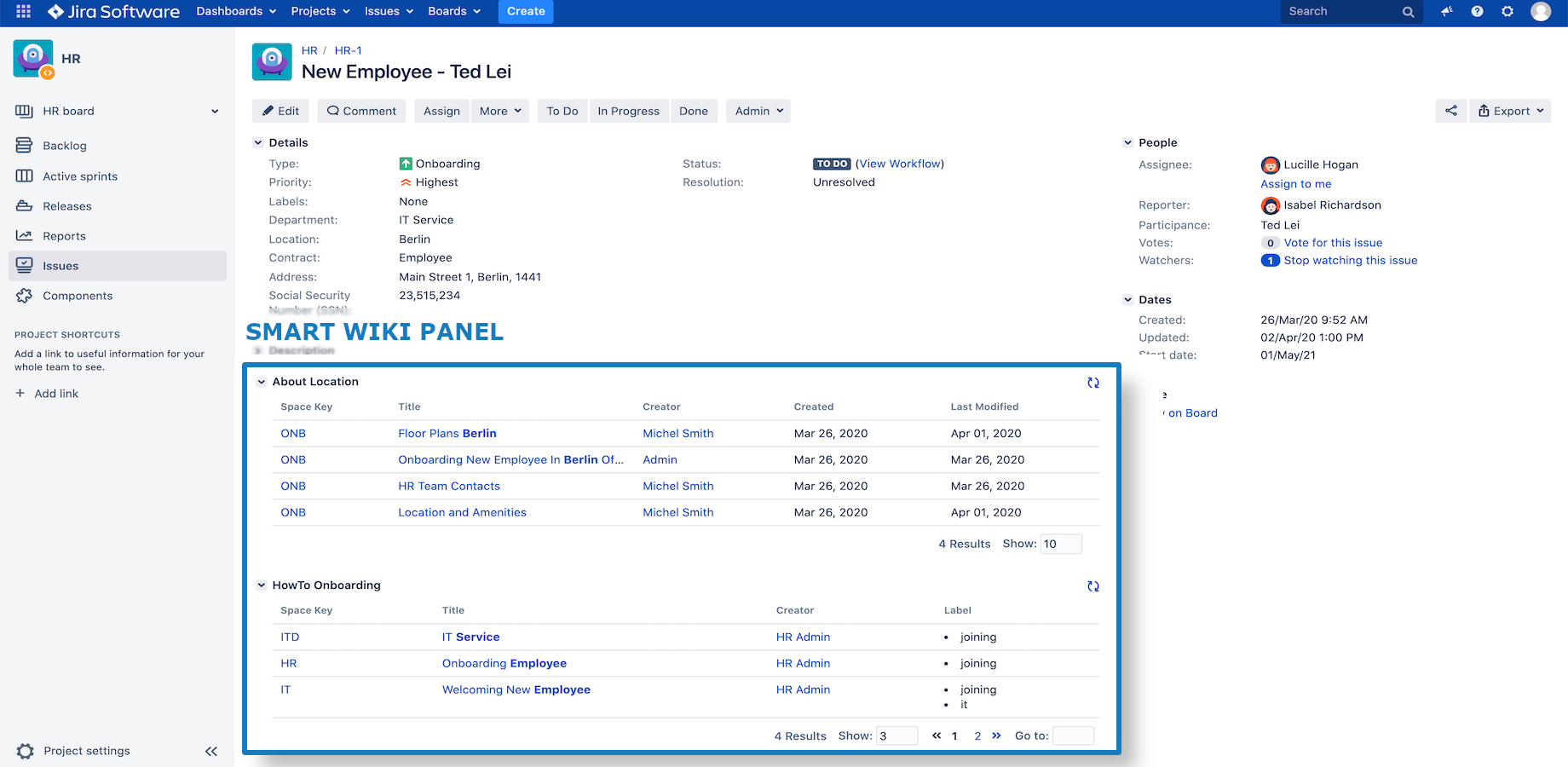
User has a new panel to enable you to show you Confluence pages based on CQL
-
Reload button: Update immediately data of wiki panel. Normally the wiki panel will update after 5 mins
-
Pagination:
-
Results: Totals of the articles get from Confluence in the current wiki panel
-
Show: How many articles will be shown on one page
-
List of page number: Click to redirect to the page you want to see
-
Goto: Enter the page you want to jump in
-
Wiki Panel Message

If you got a similar warning panel, it means the configuration of that smart wiki panel has a problem. Please make a screenshot then contact your project admin or Jira administrator.
Smart Issue Panel
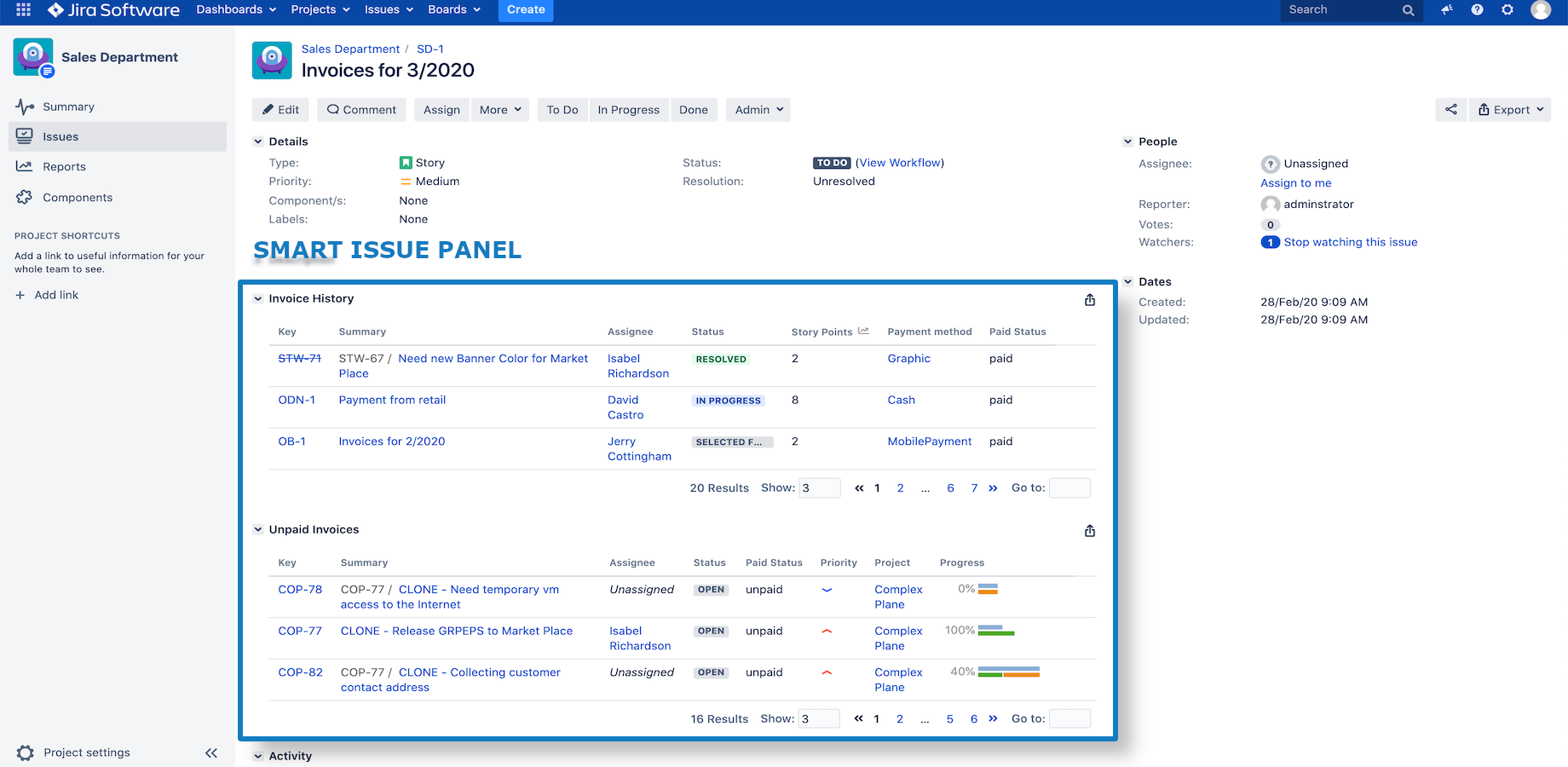
User has the option to get custom panels from admin with witch show you issues based on JQL
-
Export button: Export the current panel to Excel/ CSV. More information on the export page
-
Statistics button: Calculate sum(), min(), max(), mean() of numeric data columns in a issue panel. More information on the statistics page
-
Pagination:
-
Results: Totals of the articles get from Confluence in the current wiki panel
-
Show: How many articles will be shown on one page
-
List of page number: Click to redirect to the page you want to see
-
Goto: Enter the page you want to jump in
-
Issue Panel message

If you got a similar information panel, it means the configuration of that smart issue panel has a problem. Please make a screenshot or export the message then contact your project admin or Jira administrator.
Smart System Panel
User can get more information, data in the issue links panel, sub-tasks panel, and issue in epic panel