
Follow these steps:
-
Select

-
Under the section USER DATA CLEANUP select Leaving Day Clean
-
In Leaving Day Clean Page, select tab “Bulk User Clean”
-
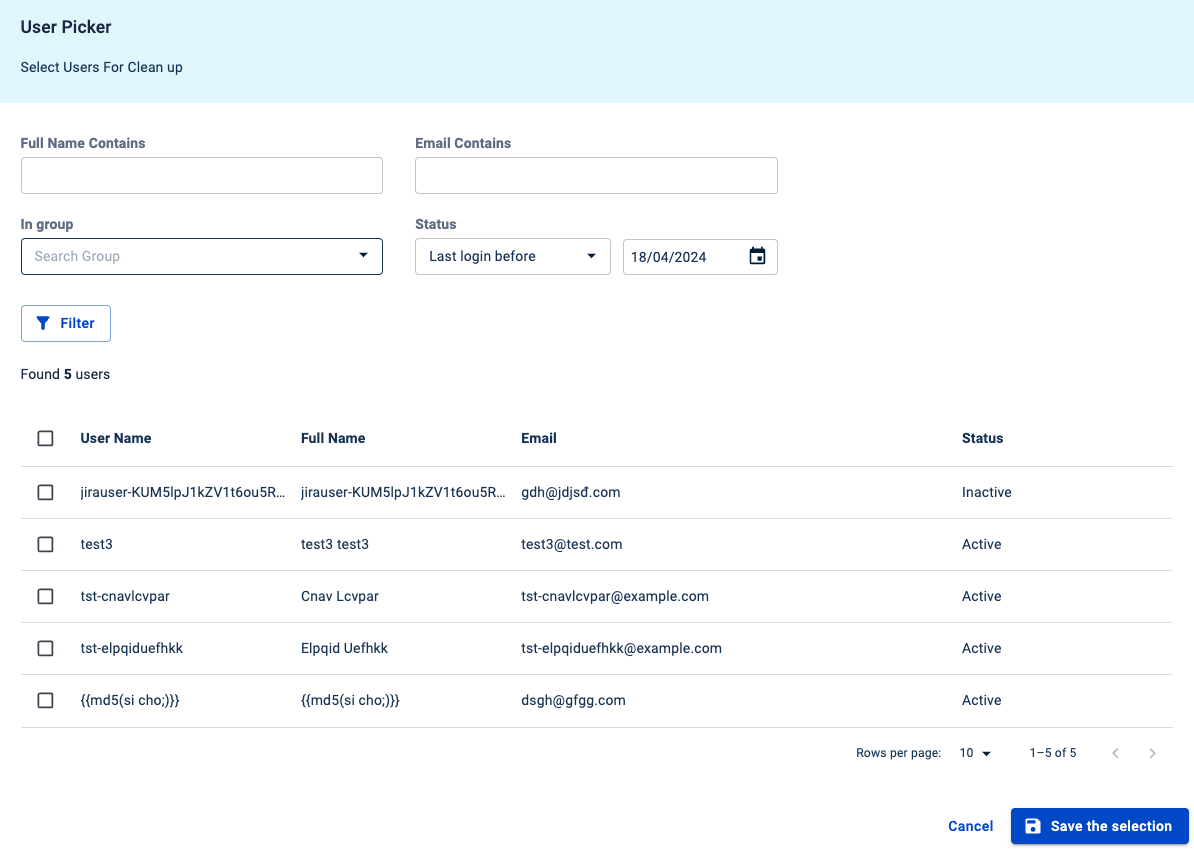
Select user picker dialog by clicking on the icon next to the input field.
-
Select status “Last login before” and set 6 months
-
Click Filter button
-
Select all users (maximum 250 users)
-
Click “Save the selection“ button.
-
Click “Add“ button
-
You will see a table containing the selected user(s).
-
Choose a rule from the "Rule" input.
-
Select a substitute user from the "Substitute user" input.
-
Click the "Clean up" button to remove data for the selected user(s) based on the chosen rule.