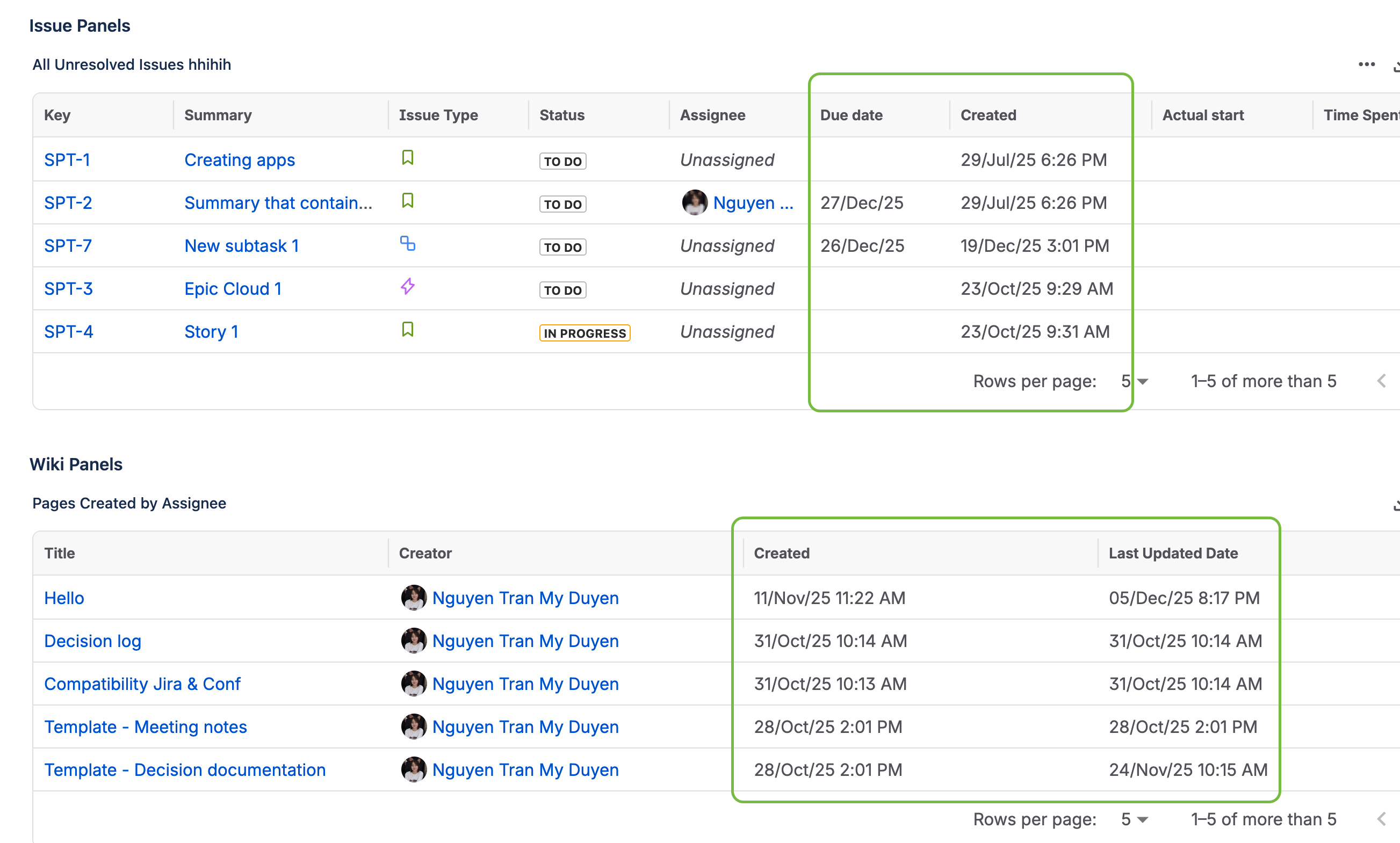
The date format for both the Issue Panel and the Wiki Panel aligns with the user-defined settings in Jira.
Step to configure data format:
-
In Jira, go to Administration (cog icon), choose System (Jira admin settings)
-
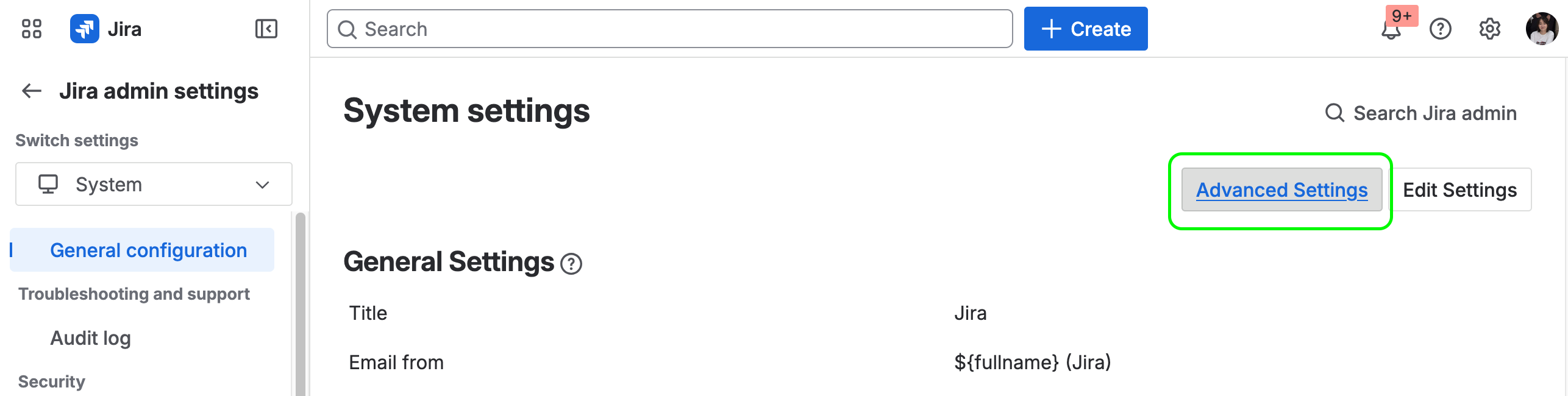
In General configuration, choose Advanced Settings (on the top-right corner)
-
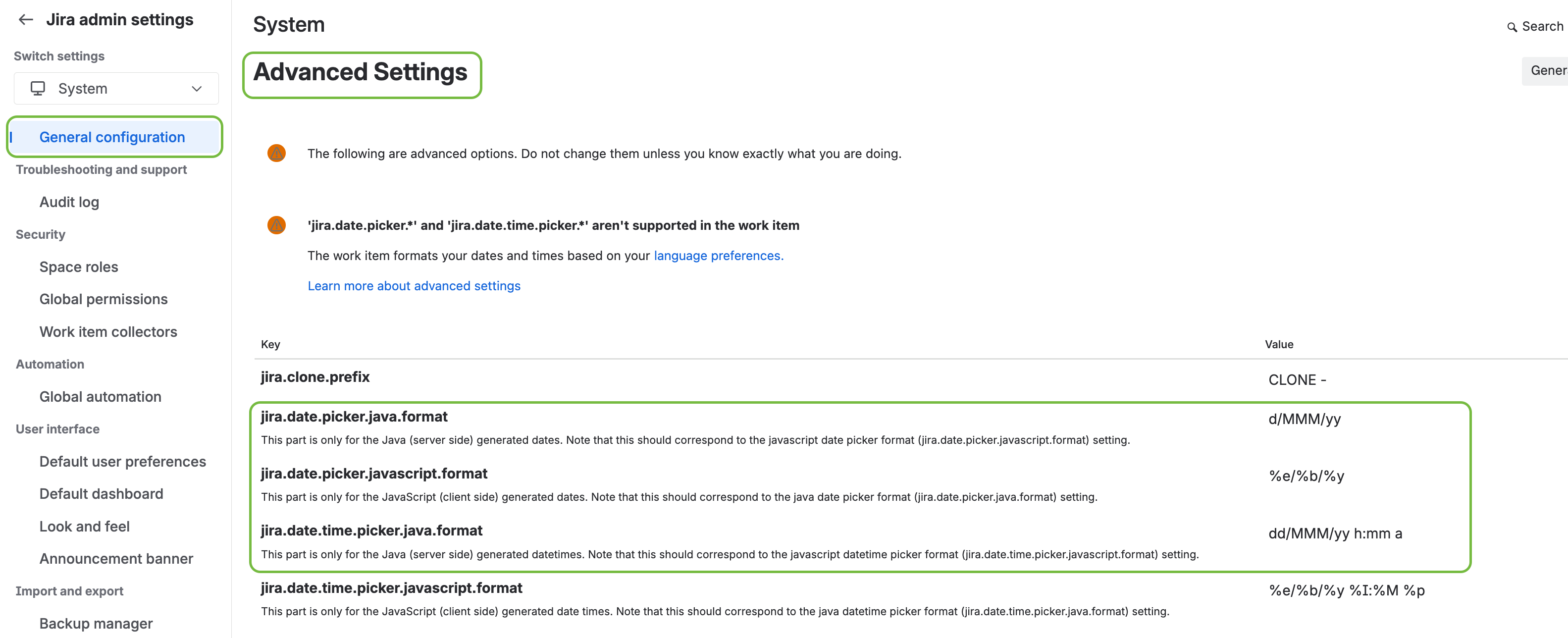
In table, find the keys below to update date format
-jira.date.time.picker.java.format
-jira.date.time.picker.javascript.format
Date formats in the panel are synchronized in Smart Panels