
You want to arrange the order of Issue Panels/ Wiki Panels displayed in the issue view page. Following those step
Login as Jira Administrator
-
Choose :cog_icon: > Manage apps.
-
Select SMART PANELS > Projects Configurations.
-
Locate the desired project and select Operations > Edit.
-
Select the tab Issue Panels/ Wiki Panels
-
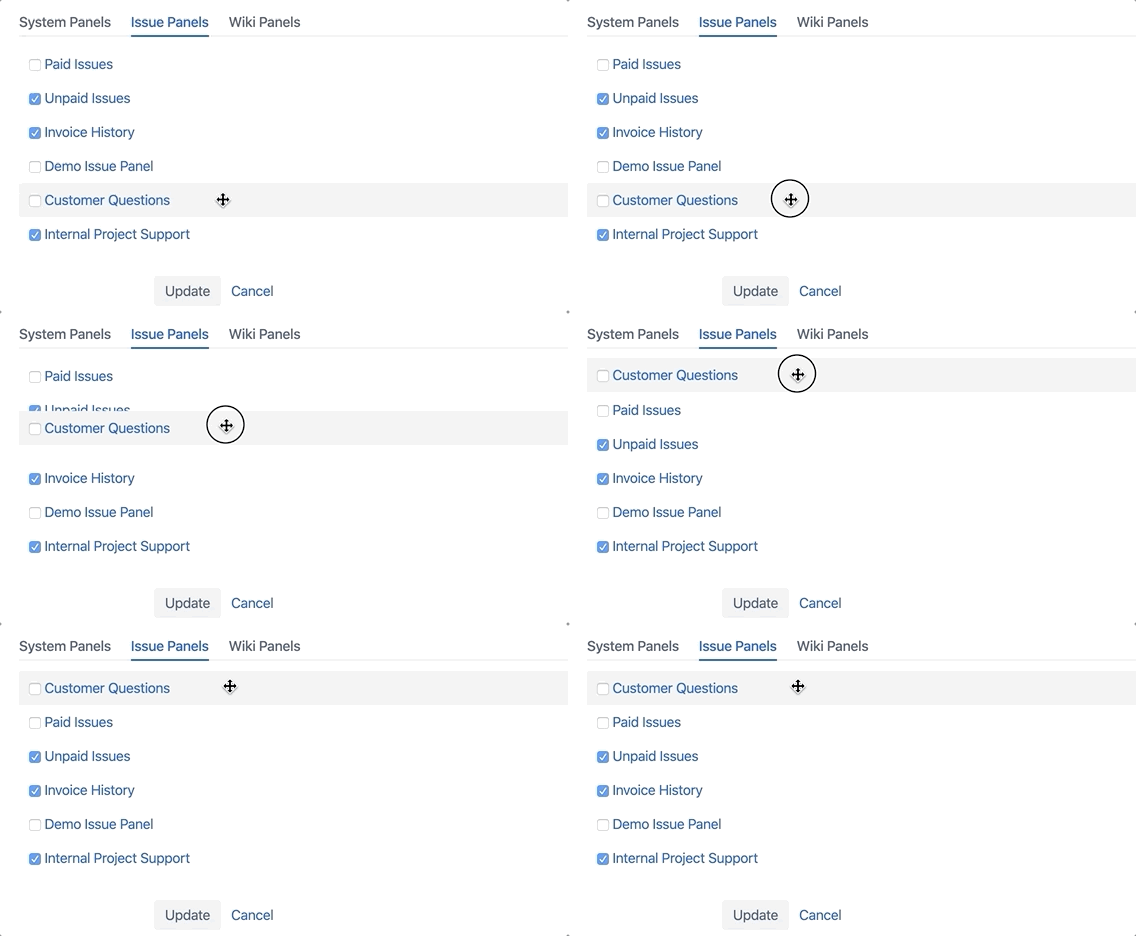
Click and hold the panel on which one you want to move. Move to the target location
Login as Project Administrator
-
Go to the specific project you wish to configure.
-
In your project select Project settings to open the project administration page.
-
Click item Panel Configuration in the menu of available project settings.
-
Select the tab Issue Panels/ Wiki Panels
-
Click and hold the panel that you want to move and drag it to the new location.
-
Can not arrange the order of System Panels.
-
The default order of panel type is Issue Panels above Wiki Panels.
-
Only can arrange the Panels in a specific type and a specific project.