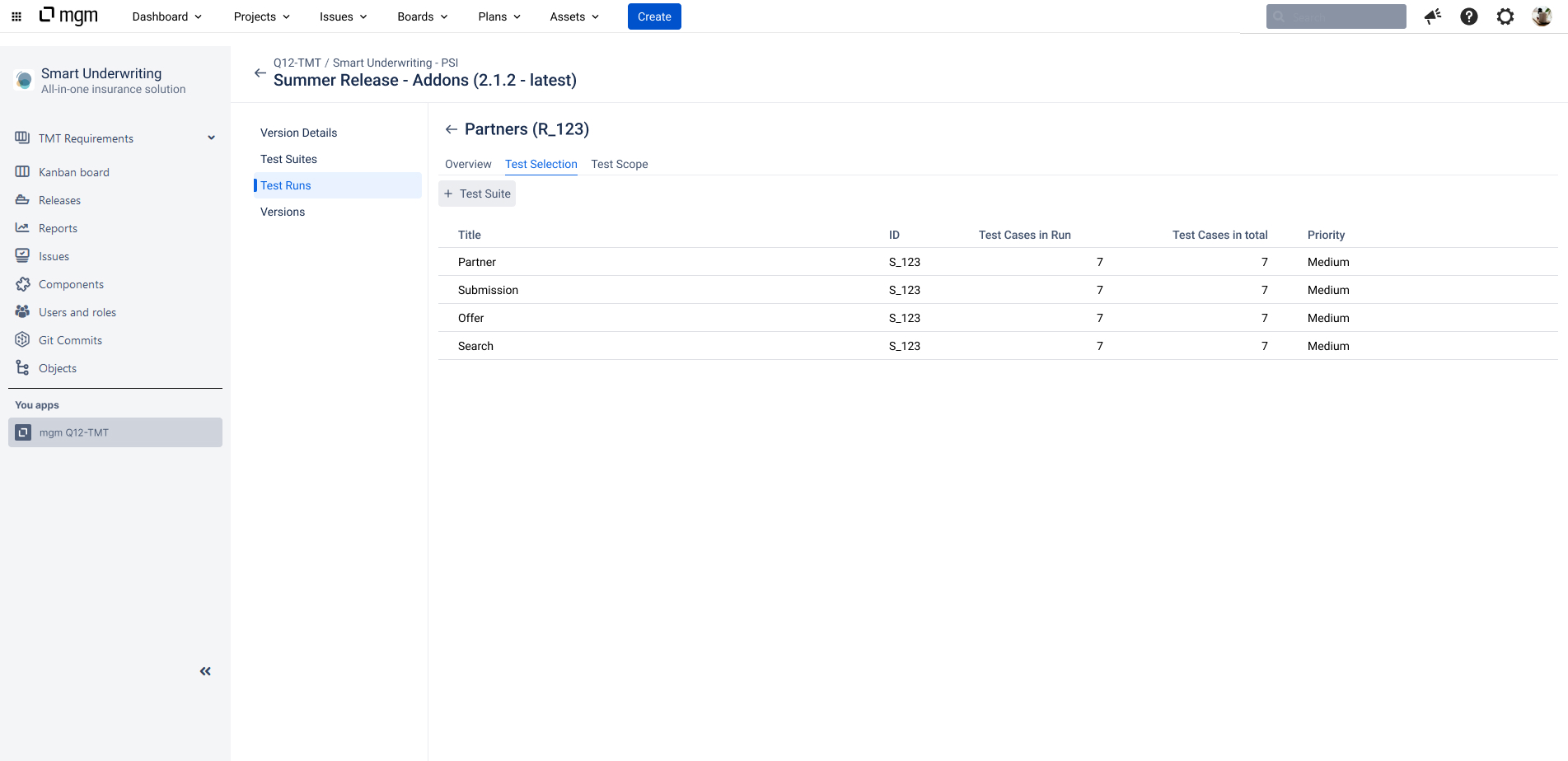
In the Test Run form header menu, select the “Test Selection” tab.
The Test selection tab lists all Test Suites selected for the Test Run, including the number of Test Cases selected and the priority of each Test Suite.
If the Test Run is newly created, the list is empty.
The following functions are available in the view.
Toolbar:
-
+ Test Suite: Select for the Test Run the Test Suites of the current project version.
For each selected Test suite, at the end of a row (incl. context menu):
-
Manage: Opens the Test Case selection in edit mode.
-
Show details: Shows the details of the Test Suite.
-
Edit for Test Run: Make changes to the Test Suite details that apply to this Test Run only.
-
Remove from Test Run: Removes the Test Suite, including all related Test Cases, from the Test Run.