
Input fields and text boxes in Q12-TMT provide a variety of text formatting options, as well as the possibility to insert images and files.
This rich-text editor is available in the following locations:
-
Test Suite description
-
Test Run description
-
Test Case in Run result details
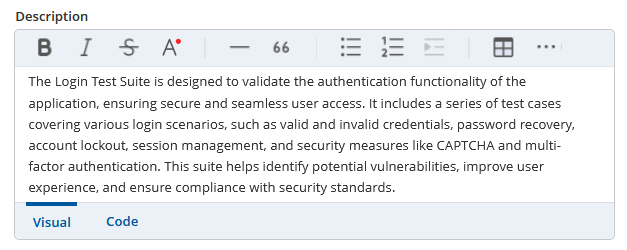
The text formatting include:
-
italic and bold text
-
strike-through in text
-
text colors
-
horizontal lines
-
blockquote
-
ordered and unordered lists
-
indentation and outdentation
-
-
tables
-
insert an attachment from the “Attachments” area
-
insert graphics as a file or URL
-
links
-
code spans
Formatting text is simplified by the distinction of two text box tabs:
The Visual view presents the text as it is seen in Q12-TMT with all selected formatting options applied
The Code view presents the plain text with the tags that produce the corresponding outcome of the visual view. It can be used to quickly format your text without the need of clicking a button.