📘 What you will learn here
On this page you will learn how Jira administrators open the Sync Bridge admin page and what each area is for: connecting to another Jira Cloud site, creating sync rules, controlling per-work-item sync, reviewing sync history and finding synced work items with JQL.
Open the Sync Bridge admin page
Only Jira administrators can see the admin page.
-
In Jira, select Settings (gear icon), then Apps.
-
In the sidebar, select Sync Bridge.
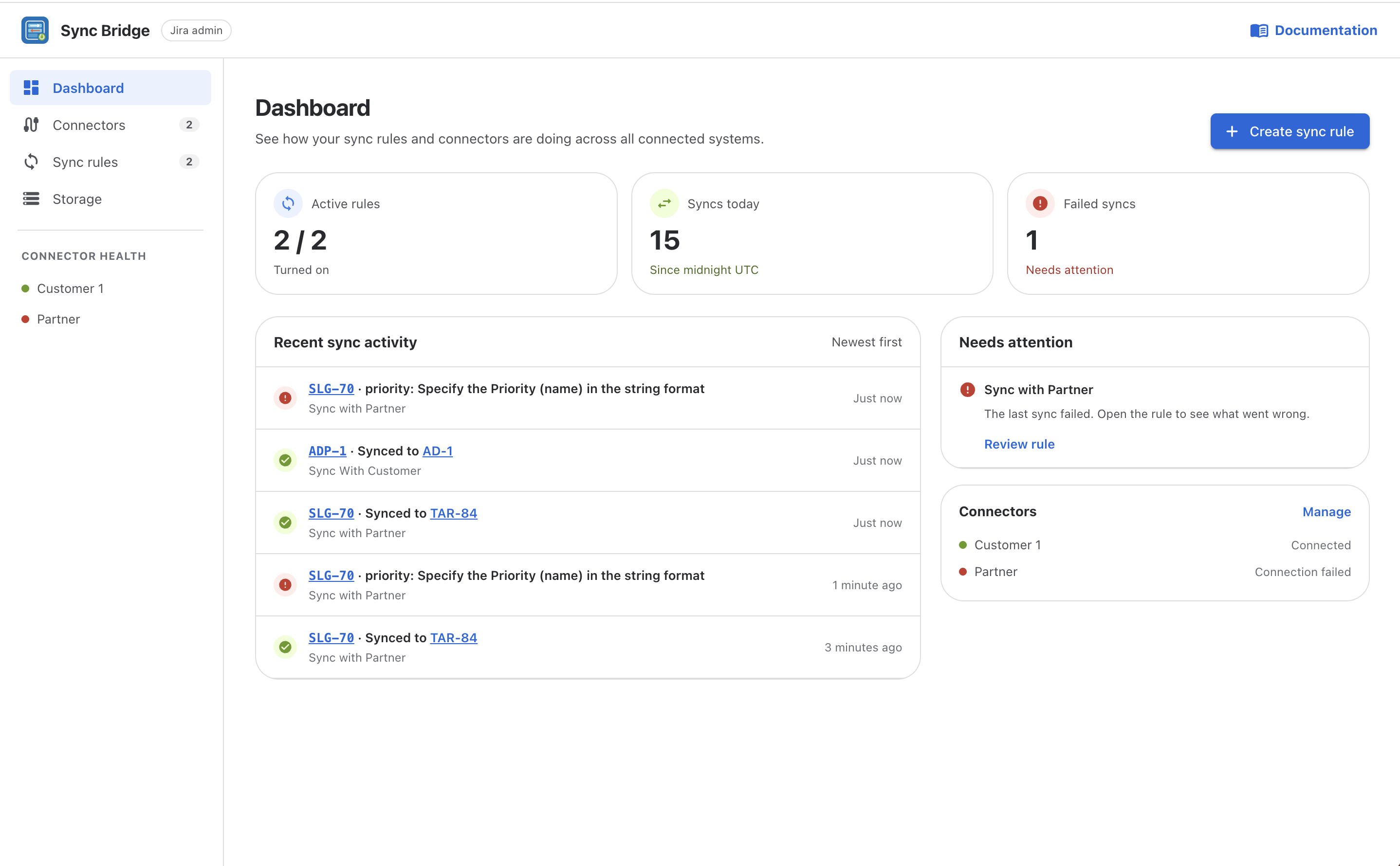
The admin page opens on the Dashboard. Use the sidebar to move between these areas:
|
Area |
What you do there |
|---|---|
|
See active rules, today's syncs, failures and recent activity at a glance. |
|
|
Add and test the connection to the other Jira Cloud site. |
|
|
Create and manage the rules that decide what syncs, in which direction and when. |
|
|
Search every sync action across all rules, retry failures and set how long history is kept. |
The Documentation link in the top-right corner of the admin page opens these docs.